Setting Up FPVScores#
The RotorHazard Development Team has teamed up with with FPVScores to provide a platform to host your race results!
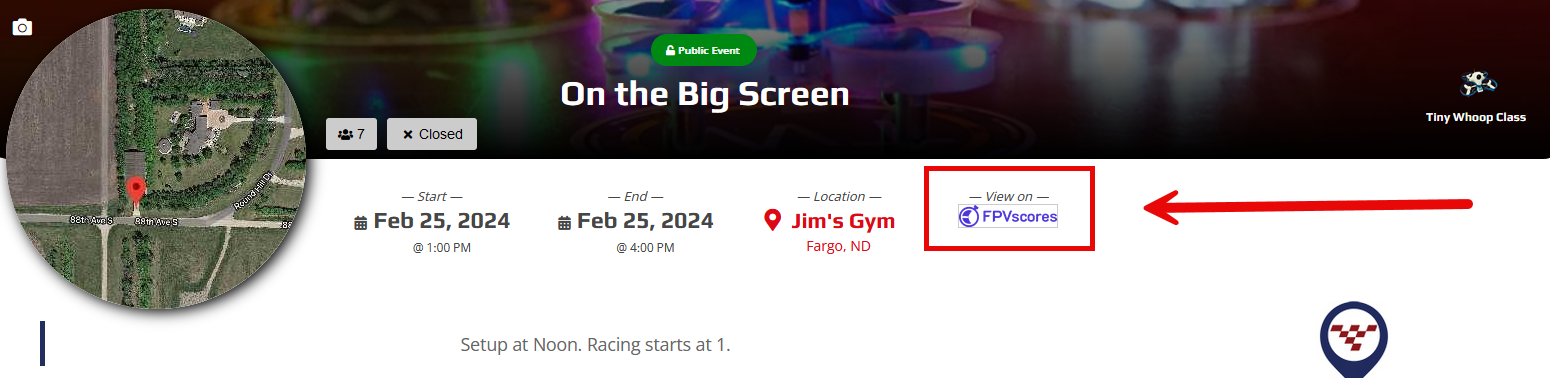
Standard MultiGP Race |
MultiGP Global Qualifier |
|
|---|---|---|
Is uploading to FPVScores optional? |
Yes |
No, it is mandatory to upload to FPVScores |
Do I need an Event UUID from FPVScores? |
Only when you want to upload to FPVScores and your Organisation is not linked |
No |
Am I required to link my FPVScores Organisation to MultiGP |
No |
No |
Can FPVScores automatically create an event for me? |
Yes, when you have linked an FPVScores Organisation to MultiGP |
All events will be automatically created. If you have a linked FPVScores Organisation, the event will be created under your Organisation, otherwise, an |
Linking a FPVScores Organisation#
Navigate to FPVScores.
When signed in as a Organisation Organisator, open the
Event Manager
Open
Organisation Settings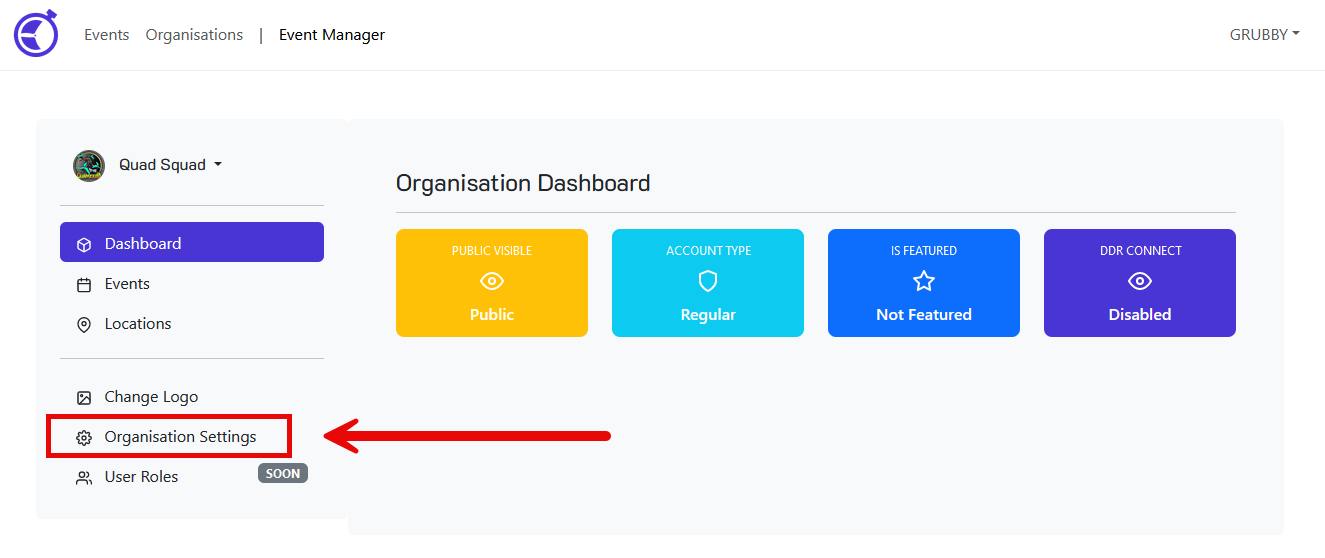
Scroll down to the
MultiGP Chapter APIfield and enter your MultiGP Chapter’s API key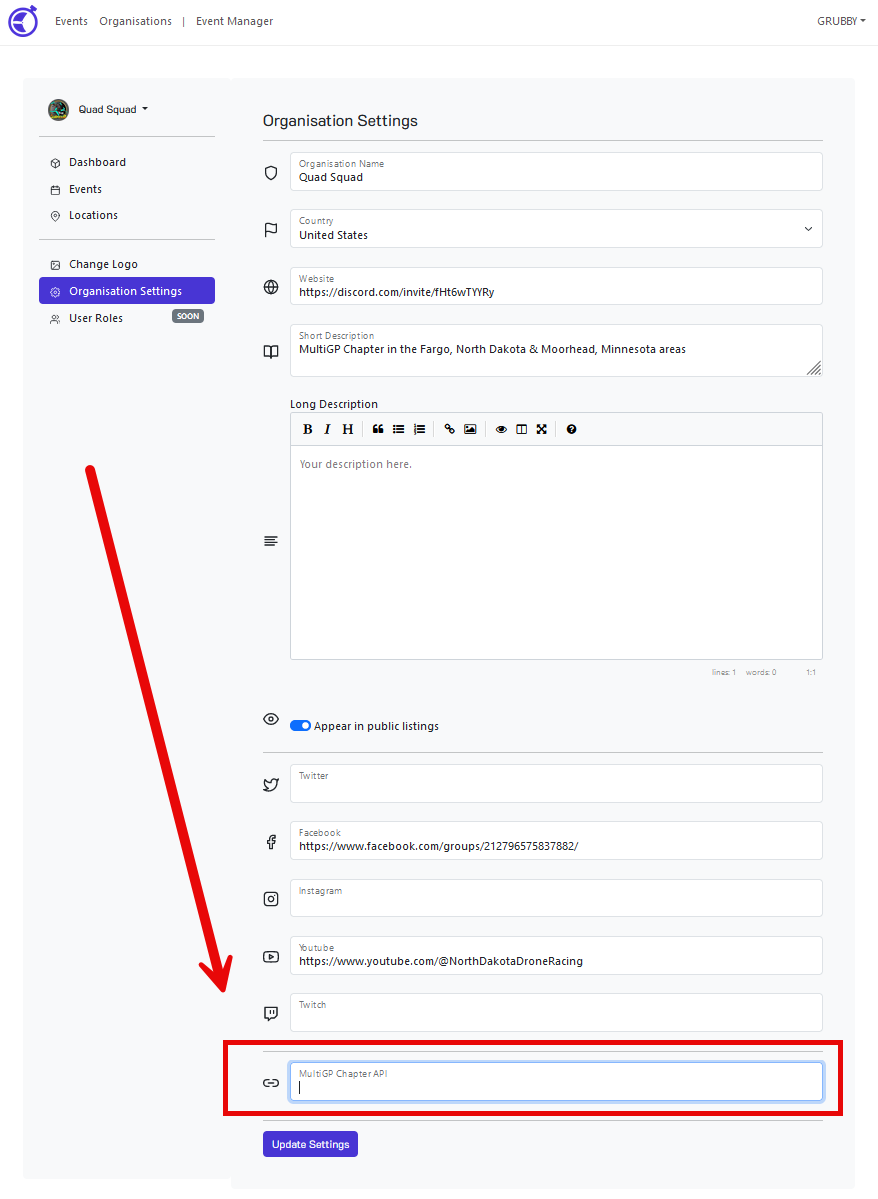
Click the
Update Settingsbutton
You can now upload results to your FPVScores Organisation without providing an Event UUID to the MultiGP Toolkit when uploading your race results!
Finding an Event UUID for a race#
Navigate to FPVScores.
When signed in as a Organisation Organisator, open the
Event Manager
Open the
Eventspage
Click the
COPYbutton for the event with the UUID you desire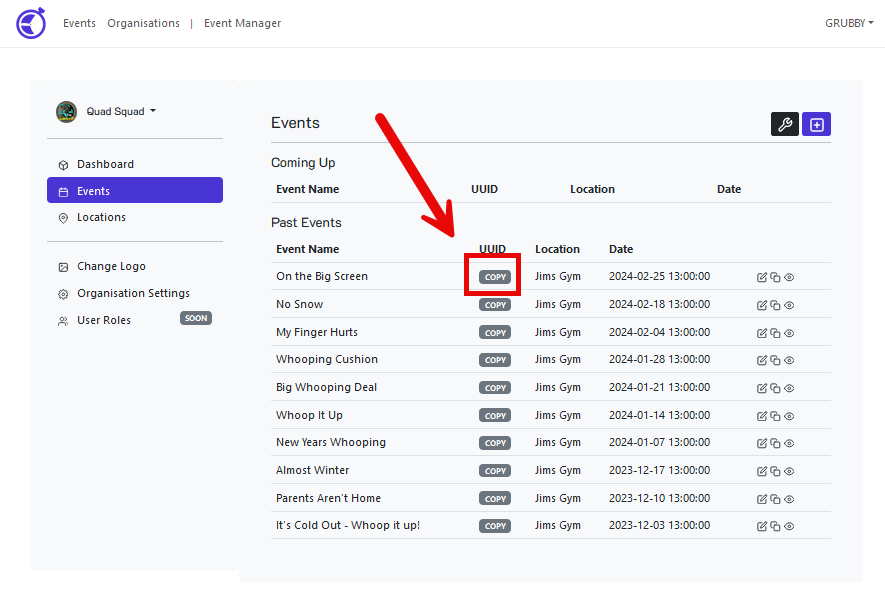
Your UUID should now be stored within your clipboard. This value can now be pasted from the clipboard as needed.